

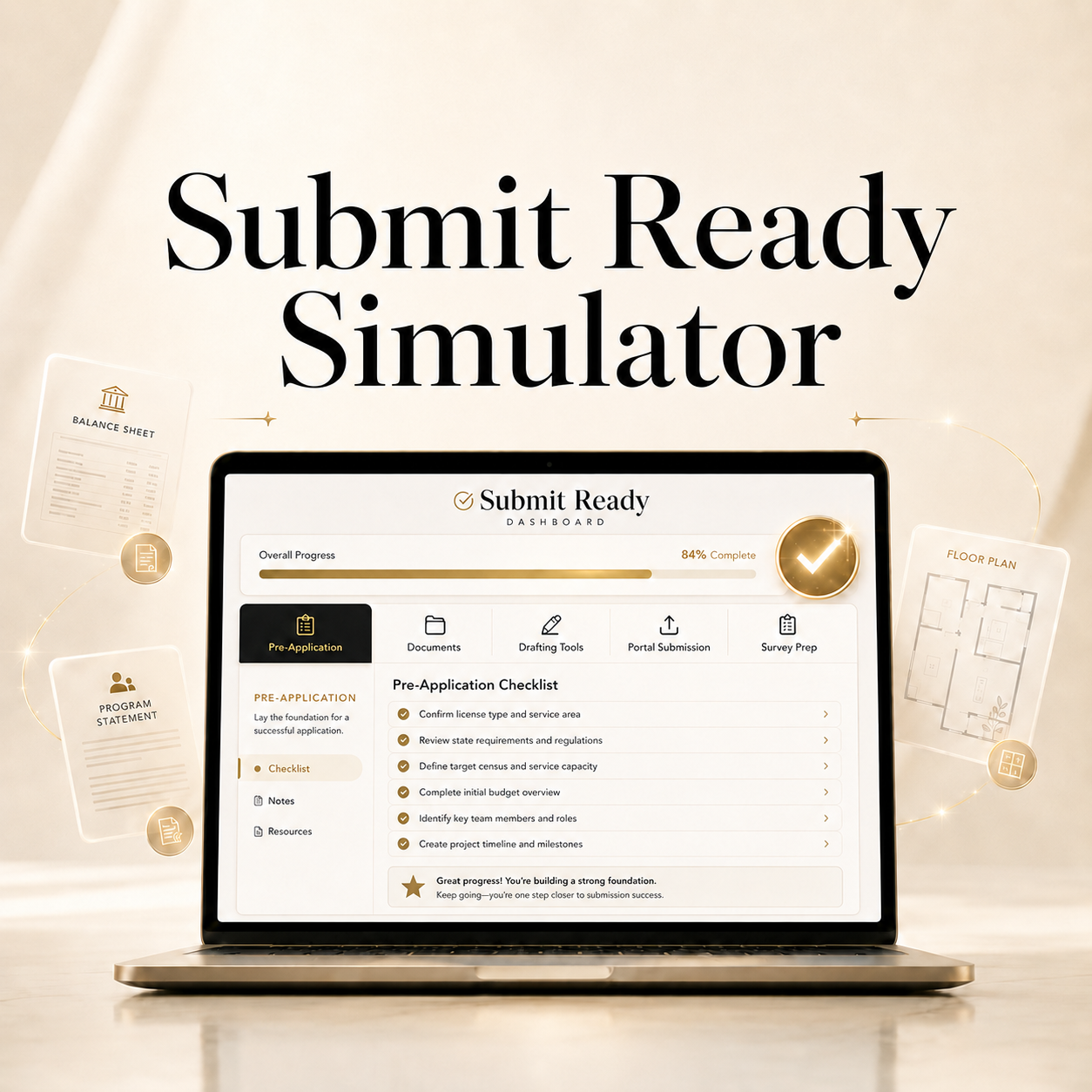
Submit Ready Simulator
"Built by a Licensed AFH Provider | Designed for State Inspection Readiness"
If you have ever felt overwhelmed trying to turn your state’s licensing requirements into an organized application package, Submit Ready was built for you.
Submit Ready is more than a checklist. It is an interactive, guided licensing-preparation system designed to help you work through the process before you reach the official submission point. Instead of simply telling you to “complete your program statement” or “prepare your financial documents,” Submit Ready helps you work through the information behind those requirements. You can organize your application materials, build working drafts, complete financial calculations, prepare for portal submission, and review survey-readiness items in one structured system.
The goal is simple: when it is time to complete your official state application, the forms, documents, calculations, and questions should already be familiar — not something you are seeing for the first time.
Five Guided Phases From Preparation to Survey Readiness
Phase 1 — Pre-Application Foundation
Start with the groundwork that should be addressed before the application becomes urgent. Submit Ready walks you through areas such as:
- Market and provider planning
- Zoning and property considerations
- Business formation
- Resident population and mobility/ambulatory planning
- Licensing portal preparation
- Caregiver training
- Background-check preparation
- State-specific licensing considerations
Each section includes guidance designed to help you understand what you are preparing and why it matters, while reminding you to verify the terminology and requirements used by your own state.
Phase 2 — Documents & Evidence
Turn scattered licensing paperwork into an organized preparation process. Submit Ready helps you work through major document categories commonly involved in residential care home licensing, including:
- Background-check documentation
- Property and floor-plan information
- Financial evidence
- Program and service documents
- Ownership or lease documentation
- Facility-related inspections or records when applicable
- State-specific application forms and supporting materials
Because requirements vary, Submit Ready helps you identify what applies while keeping the official licensing agency as your final source of truth.
Phase 3 — Build the Documents Instead of Just Reading About Them
This is where Submit Ready becomes much more than a traditional licensing checklist. Built-in AI-assisted drafting tools help you create personalized working drafts based on information you enter about your actual home and situation, including:
- Program Statement
- Admission / Service Agreement
- Letter of Explanation, when applicable
- 30-Day Staffing Hours Breakdown Letter
- Individual Volunteer Agreement forms
These are not generic documents handed to you with blanks to figure out later. The tools ask for information about your home, services, fees, population, staffing, policies, circumstances, and operating plan and use those answers to help build a starting draft for your review. Every generated document must still be reviewed, edited, and compared with your state’s current requirements before it is submitted.
AI-assisted drafting features require an internet connection.
Built-In Financial Preparation Tools
Submit Ready also includes interactive tools that help you work through the financial side of the application instead of doing the calculations manually. The Itemized Inventory and Model Balance Sheet work together so that you can enter your actual figures, calculate totals, review owner’s equity, and check whether the balance sheet reconciles properly. Inventory values can be carried into the financial preparation process rather than repeatedly re-entered.
The Operating Expenses Calculator helps you build a realistic operating-cost projection and 60-day reserve planning figure using the expenses you enter and food-cost guidance included in the app. Because financial requirements differ by state, the calculated reserve should be compared with the current financial requirement applicable to your licensing program before submission.
Phase 4 — Prepare for Official Portal Submission
Once your documents are ready, Submit Ready walks you through the transition from preparation to your state’s official licensing system. Review:
- What still needs to be checked
- Which documents need to be uploaded
- File preparation and organization
- Application completion
- Fees and submission confirmation
- What information to retain after submission
Submit Ready does not submit your application for you. Your application and supporting documents are submitted through the official process established by your state licensing authority.
Phase 5 — Prepare for the Initial Licensing Survey
Submitting the application is not the end of the preparation process. Phase 5 helps you shift your attention to the home itself and prepare for the initial state survey or inspection. Use the guided survey-readiness section to review areas such as:
- Home accessibility and exits
- Bedrooms, bathrooms, kitchen and common areas
- Fire and safety preparation
- Medication storage
- Telephone and emergency information
- Required records and documentation
- Personnel and training records
- State-specific survey expectations
- Other areas your licensing agency may inspect or discuss
The purpose is not simply to read a survey checklist. It is to help you look at your home the way a surveyor may look at it and address gaps before the scheduled visit whenever possible.
Licensed Digital Access
Submit Ready is a licensed digital product intended for the original purchaser and licensed facility/business. Your license allows use on up to two authorized installations/browser profiles for the licensed facility. After purchase:
- Download and open Submit Ready in Microsoft Edge or Google Chrome.
- Copy the Installation ID displayed by the app.
- Email the Installation ID, along with the purchaser or business name used for the order, to treneedigital@gmail.com.
- T. Renee Digital will provide the licensing/activation file or instructions for that authorized installation.
- Import the license as instructed and keep the issued license file in a safe location.
- If you later activate your second authorized installation, send its new Installation ID to the same email address under the same purchaser/business name.
Important: Submit Ready Prepares You — Your State Still Makes the Decision
Submit Ready is an educational licensing-preparation tool. It does not replace your state’s licensing agency, legal advice, financial advice, or professional judgment. Licensing requirements, forms, fees, terminology, portals, and procedures can change at any time. Always verify current requirements directly with your state’s Department of Health Services or equivalent licensing authority before submitting.
Generated documents are starting frameworks. You remain responsible for reviewing, editing, verifying, and confirming the accuracy of everything you submit. That is also consistent with the acknowledgment and disclaimer already built into Submit Ready. The system gives you the structure. The interactive tools help you build the materials. The five-phase workflow helps you move from early preparation through application submission and survey readiness with a much clearer path and far less guessing.
Important Disclaimer: This product is a general educational and organizational resource which provides general guidance and practical frameworks. Licensing requirements, forms, fees, terminology, procedures, inspections, background checks, MCO contracting processes, reimbursement structures and regulations vary by state and may change at any time. Always verify current requirements with your applicable state or local licensing authority before submitting any application, form, or documentation. This product does not provide legal, medical, financial, or licensing advice and does not guarantee approval, compliance, resident placement, or business success.
Licensed Access: Submit Ready is licensed to the original purchaser/business for use on up to two authorized installations/browser profiles. There are no monthly licensing fees. Activation instructions are included in the How to Use Guide.